Before conversion process starts, Image Converter Plus allows performing various actions or graphic effects to modify source images in accordance with added operations.
To add operations, you should do the following:
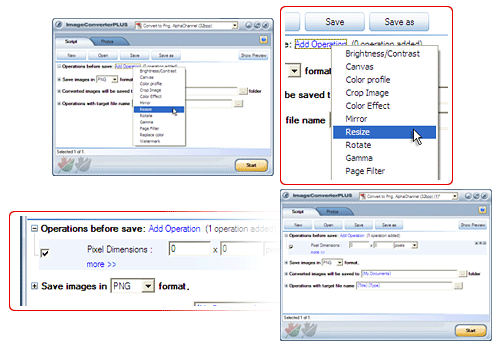
- Click Add operation link
- Select an operation from the menu that appears
- Expand Operations group
- Adjust settings of the added operation to meet your needs
Note: To remove an operation, press “x” button located at the top right corner of every added operation.
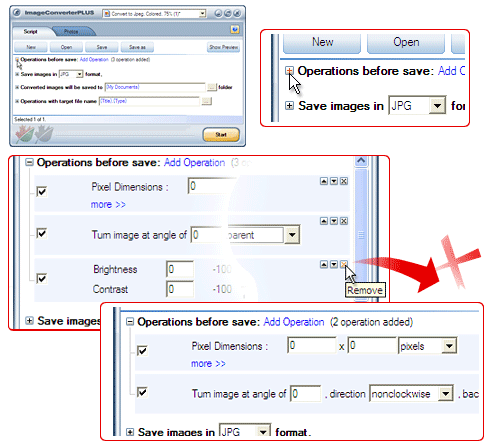
Note: You can add any number of operations to the current script. All operations have their settings. Each setting is explained on the corresponding page which describes the operation of interest.